BAM Tools
Convert SAM/BAM to FastQ
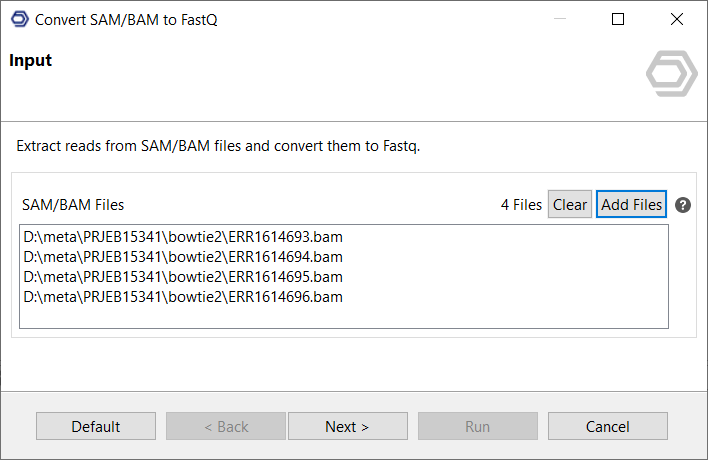
Extract reads from SAM/BAM files and convert them to FastQ.
Select the corresponding input files, single and paired-end are possible.
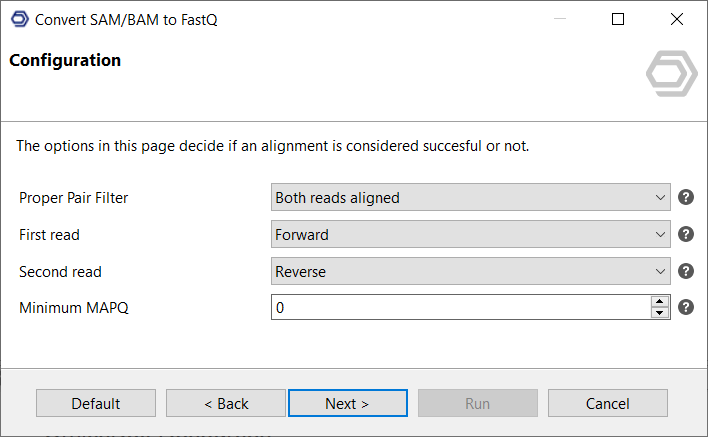
This page allows configuring under what circumstances reads are considered "aligned", i.e. they will be organized together with the aligned output fastq files.
- Proper Pair Filter: Decide if both reads have to be aligned or if one is enough.
- Read Directions: Choose in which direction the read pairs have to align.
- Minimum MAPQ: Filter out low-quality alignments (0 - 255).
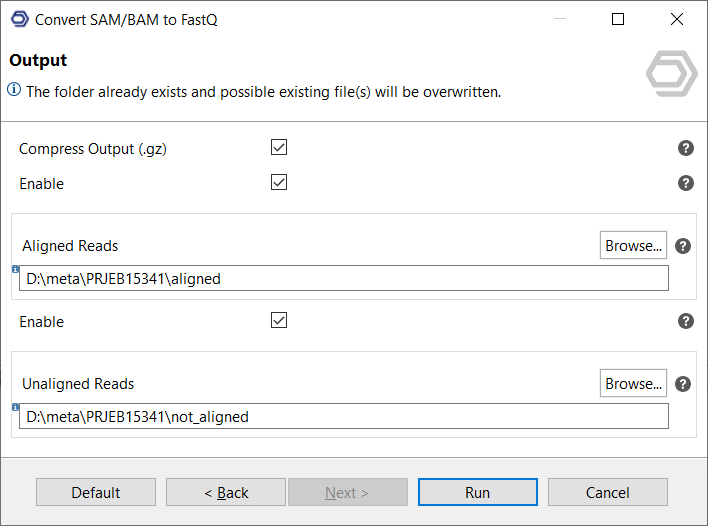
Select where to save aligned and unaligned reads respectively and if the output should be compressed individually as in .fastq.gz.
OmicsBox Engine
This tool can be run from the command line via the OmicsBox Engine.
Command: omicsbox bam-to-reads [options]
Inputs
| Flag | Type | Required | Description |
|---|---|---|---|
--i-alignment-files |
file (multiple) | Yes | SAM/BAM Files |
Parameters
| Flag | Type | Default | Range / Candidates | Required | Description |
|---|---|---|---|---|---|
--compress-output |
boolean | true | No | Compress Output (.gz) | |
--enable-aligned-output |
boolean | true | No | Enable | |
--enable-unaligned-output |
boolean | true | No | Enable | |
--proper-pair |
enum | Both reads aligned | At least one read alignedBoth reads aligned |
No | Proper Pair Filter |
--first-read-direction |
enum | Forward | ForwardReverseAny |
No | First read |
--second-read-direction |
enum | Reverse | ForwardReverseAny |
No | Second read |
--mapq-filter |
integer | 0 | 0 – 255 | No | Minimum MAPQ |
Note:
--proper-pair,--first-read-direction,--second-read-directionare context-dependent — they apply, and their valid values are determined, only for certain input configurations.Global options (
--local-folder,--cloud-folder,--output-format,--config,--detach,--verbose, …) are shared by every Engine tool and are not repeated here — see the OmicsBox Engine reference.