InterProScan
Introduction
InterPro provides functional analysis of proteins by classifying them into families and predicting domains and important sites. To do this, InterPro uses predictive models, known as signatures, provided by several member databases that make up the InterPro consortium. InterPro combines these signatures into a single searchable resource, capitalising on their individual strengths to produce a powerful integrated database and diagnostic tool.
In OmicsBox, InterProScan retrieves domain and motif information for each sequence. The corresponding GO terms can then be transferred to the sequences and merged with the existing GO terms in the functional annotation project. When working with nucleotide sequences, OmicsBox translates them to the longest open reading frame before sending them to InterProScan.
Please cite InterProScan: Blum M, Chang H, Chuguransky S, Grego T, Kandasaamy S, Mitchell A, Nuka G, Paysan-Lafosse T, Qureshi M, Raj S, Richardson L, Salazar GA, Williams L, Bork P, Bridge A, Gough J, Haft DH, Letunic I, Marchler-Bauer A, Mi H, Natale DA, Necci M, Orengo CA, Pandurangan AP, Rivoire C, Sigrist CJA, Sillitoe I, Thanki N, Thomas PD, Tosatto SCE, Wu CH, Bateman A and Finn RD. The InterPro protein families and domains database: 20 years on. Nucleic Acids Research, Nov 2020 (doi: 10.1093/nar/gkaa977).
Run
InterProScan is available under Functional Analysis → InterProScan, or from the Side Panel, in the InterProScan group, when a project has been loaded. There are two ways to run it:
- CloudIPS. A cloud-based OmicsBox community resource for fast and reliable InterPro analysis, from small to large datasets. It runs the original InterPro algorithms against up-to-date databases on the dedicated OmicsBox cloud.
- EMBL-EBI InterPro. The public web service, which scans the query sequences against InterPro's signatures. Performance and results depend on the EBI web server. Requires an email adress.
InterProScan can only be run on sequences that contain the actual sequence information (loaded via a FASTA file). If the project was created from a Blast XML or a .annot file, first add the sequences to the project.
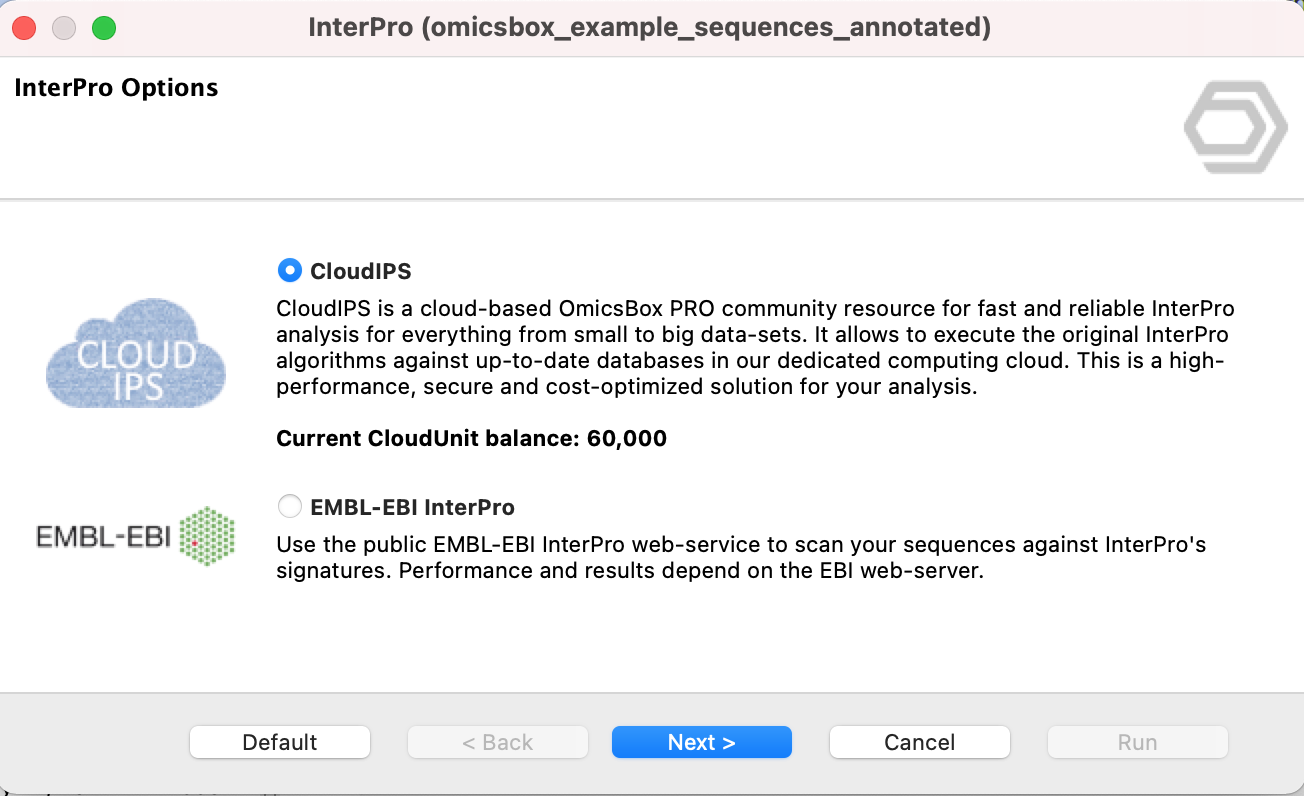
Figure 1. Choose the InterProScan service.
Configuration
The first two configuration pages select the member databases used to retrieve the protein families, domains, and sites. More information about each category can be obtained from the InterProScan website.
The last page saves the InterProScan results in different file formats: XML and GFF3 (the default outputs), tab-separated values (TSV), and the input query sequences.
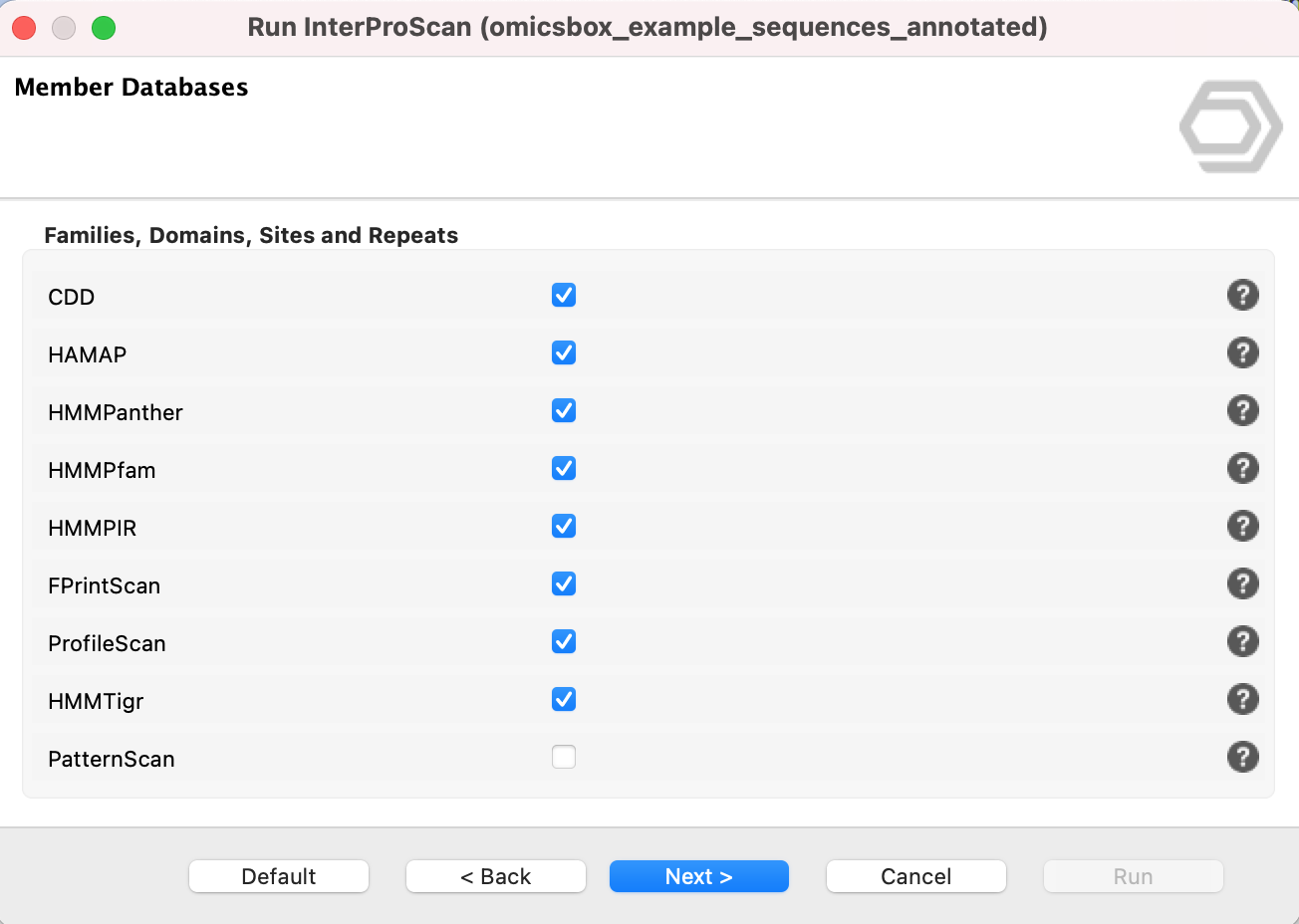
Figure 2. Selection of member databases.
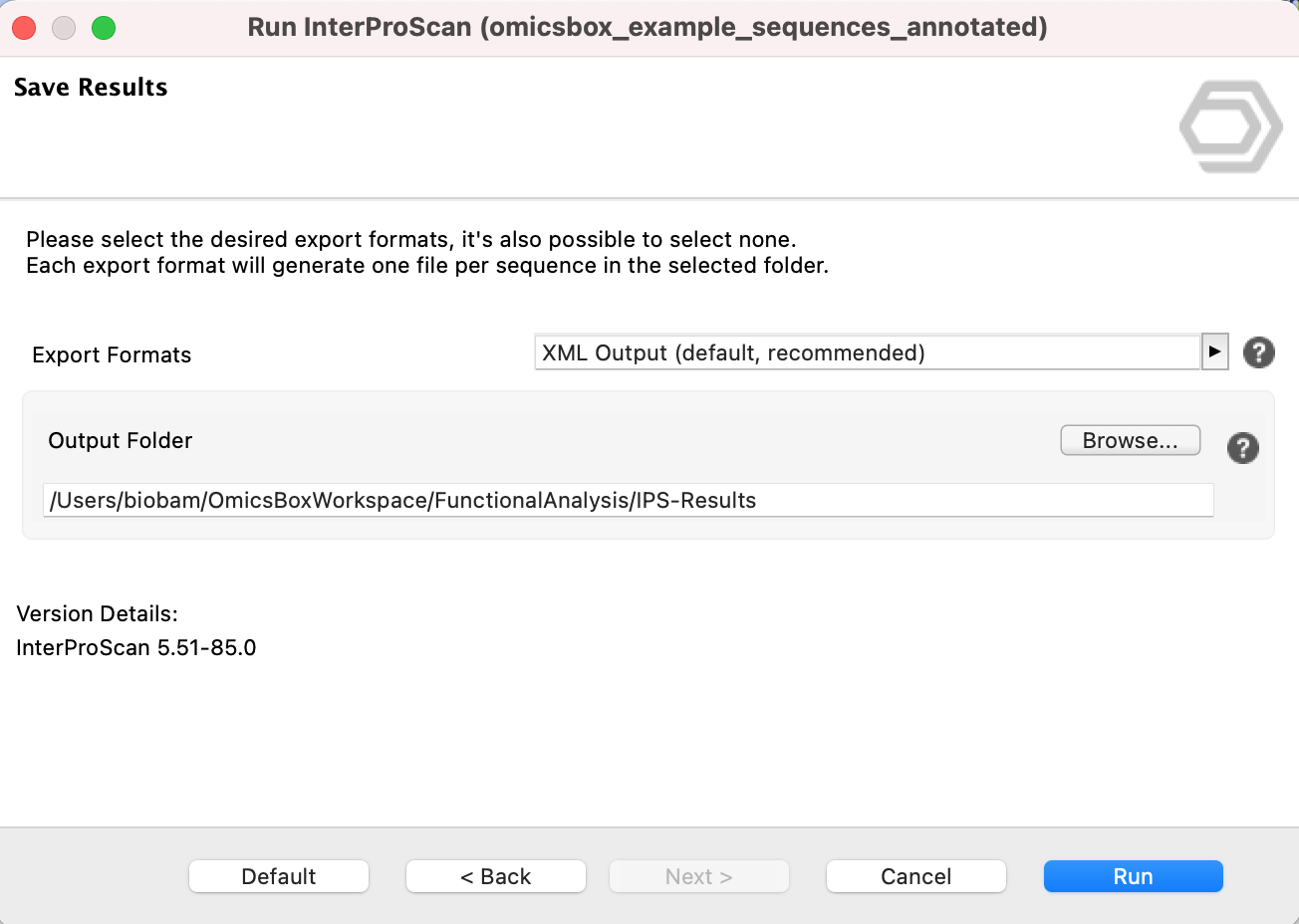
Figure 3. Save InterProScan results.
Results
Once InterProScan has finished, the InterPro columns of the functional annotation project are filled. Sequences turn violet if no other analysis has been run before. The shared results table, its columns, and the common Side Panel and context menu options are described on the Functional Annotation Project page. This section covers only the InterProScan-specific results.
Side Panel - InterProScan
Remove InterProScan
Deletes the InterProScan results for the selected sequences.
Charts
The InterProScan statistics show how many sequences do or do not have InterProScan results and how many have GO terms derived from InterProScan.
- InterProScan Results. Reflects the effect of adding the GO terms retrieved from InterProScan.
- InterProScan Families. The number of sequences that belong to each InterProScan family.
- InterProScan Domains. The number of sequences that belong to each InterProScan domain.
- InterProScan Repeats. The number of sequences that belong to each InterProScan repeat.
- InterProScan Sites. The number of sequences that belong to each InterProScan site.
- InterProScan IDs. The number of sequences annotated with each InterProScan ID.
- InterProScan IDs by Database. A pie chart of the InterProScan IDs for a particular member database, which is selected in the InterProScan Database parameter.
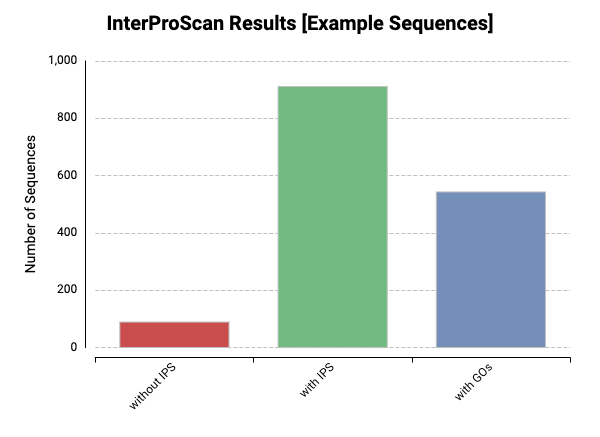
Figure 4. InterProScan statistics.
Merge GOs
The InterProScan GO terms can be added to the existing annotations based on the Blast results. This option is available from the InterProScan Side Panel. Once the merge finishes, a distribution chart shows the number of GO terms that have been added to (or confirmed in) the current annotations.
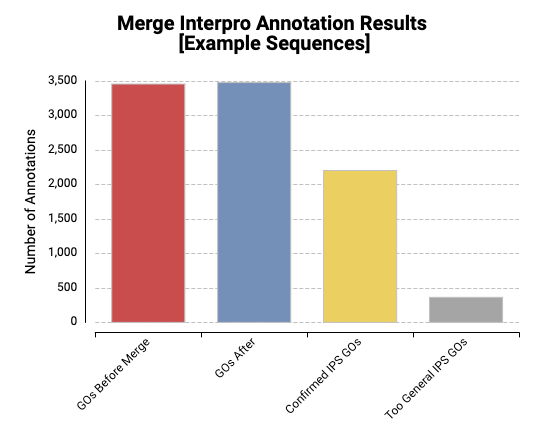
Figure 5. Statistics after merging InterProScan GO terms into the annotation.
Context Menu
Right-click a sequence to open the Single Sequence Menu (see Functional Annotation Project for the shared options). The InterProScan-specific option is Show InterProScan Results, which opens the domains, families, and sites found for the selected sequence.
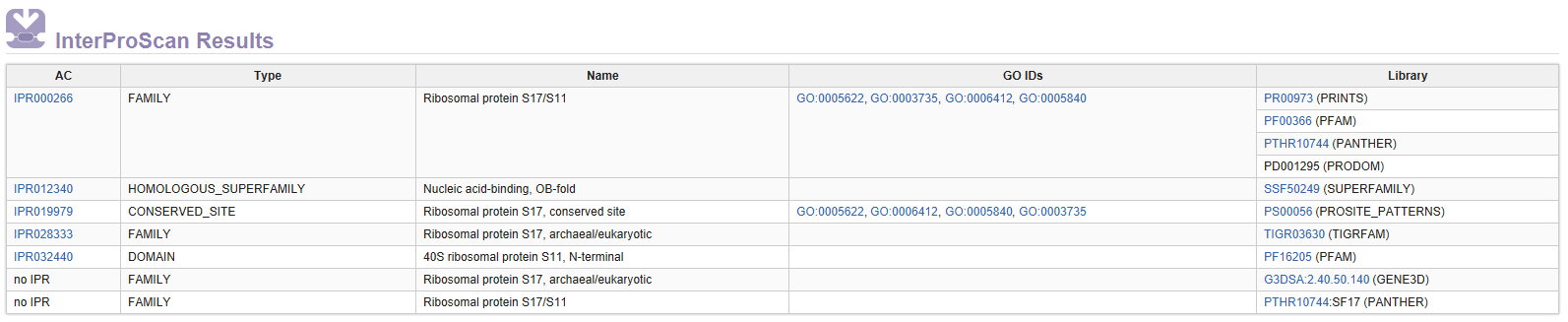
Figure 6. InterProScan results for a sequence.
OmicsBox Engine
This tool can be run from the command line via the OmicsBox Engine.
Command: omicsbox ips [options]
Input constraint: provide exactly one of:
--i-local-project,--i-sequences.
Inputs
| Flag | Type | Required | Description |
|---|---|---|---|
--i-local-project |
file | Yes | Sequence Project (.box) |
--i-sequences |
file | Yes | Query Input |
Parameters
| Flag | Type | Default | Range / Candidates | Required | Description |
|---|---|---|---|---|---|
--anti-fam |
boolean | true | No | AntiFam | |
--f-print-scan |
boolean | true | No | PRINTS | |
--hmmpfam |
boolean | true | No | PfamA | |
--fun-fam |
boolean | true | No | FunFam | |
--profile-scan |
boolean | true | No | ProSiteProfiles | |
--hamap |
boolean | true | No | HAMAP | |
--pattern-scan |
boolean | false | No | ProSitePatterns | |
--super-family |
boolean | true | No | SUPERFAMILY | |
--hmm-panther |
boolean | true | No | PANTHER | |
--gene3d |
boolean | true | No | Gene3D | |
--coils |
boolean | false | No | Coils | |
--cdd |
boolean | true | No | CDD | |
--sfld |
boolean | true | No | SFLD | |
--pirsr |
boolean | true | No | PIRSR | |
--pirsf |
boolean | true | No | PIRSF | |
--ncbi-fam |
boolean | true | No | NCBIfam | |
--export-format |
enum (multiple) | xml,gff3 | tsvxmljsongff3 |
No | Export Formats |
Global options (
--local-folder,--cloud-folder,--output-format,--config,--detach,--verbose, …) are shared by every Engine tool and are not repeated here — see the OmicsBox Engine reference.