FASTA Tools
Filter Fasta by Length
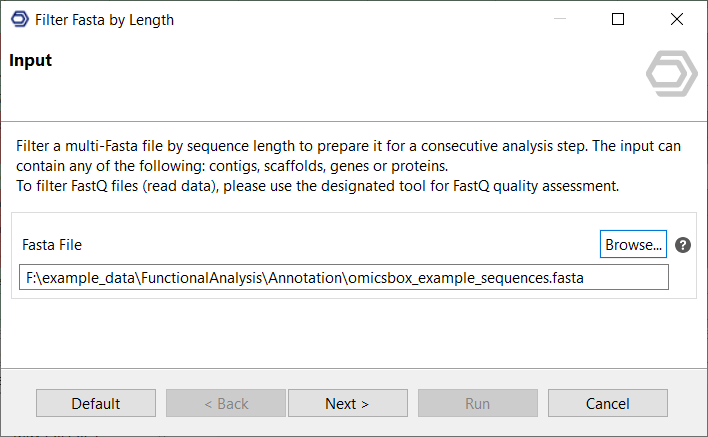
Filter a multi-Fasta file by sequence length to prepare it for a consecutive analysis step. The input can contain any of the following: contigs, scaffolds, genes, or proteins.
To filter FastQ files (read data), please use the designated tool for FastQ quality assessment.
Input File
Select a file containing contigs, scaffolds, genes or proteins
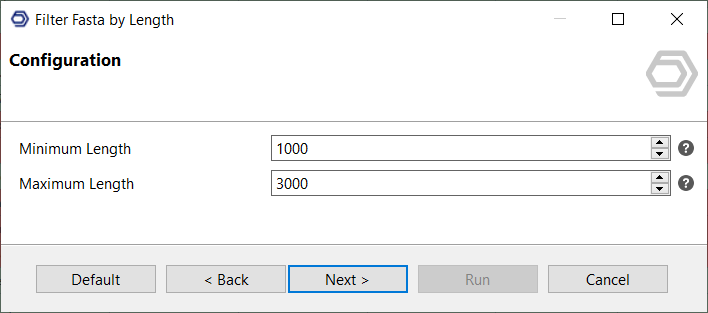
Parameters
- Minimum Length: Sequences shorter than this will be excluded for the results file
- Maximum Length: Sequences longer than this will be excluded for the results file
OmicsBox Engine
This tool can be run from the command line via the OmicsBox Engine.
Command: omicsbox filter-fasta [options]
Inputs
| Flag | Type | Required | Description |
|---|---|---|---|
--i-sequences |
file | Yes | Fasta File |
Parameters
| Flag | Type | Default | Range / Candidates | Required | Description |
|---|---|---|---|---|---|
--minimum-length |
integer | 1000 | No | Minimum Length | |
--maximum-length |
integer | 3000 | No | Maximum Length | |
--chart-format |
enum | box | boxpngpdfcsv |
No |
Global options (
--local-folder,--cloud-folder,--output-format,--config,--detach,--verbose, …) are shared by every Engine tool and are not repeated here — see the OmicsBox Engine reference.